
TrueNAS vs Unraid vs OpenMediaVault
If you’re building a DIY NAS or planning a home NAS for backups, media streaming, file sharing, or virtualization, choosing the right NAS OS is one of the most important decisions you will make. The operating system controls storage management, data protection, ease of setup, hardware compatibility, and long-term expandability.
Three of the most popular options for a NAS operating system are TrueNAS, Unraid, and OpenMediaVault. Each one has a different approach to storage, performance, pricing, and usability. In this guide, we compare them in depth so you can decide which is best for your DIY NAS build.
This comparison covers performance, ease of use, setup difficulty, price, system requirements, features, pros and cons, and the ideal use case for each platform.
What Is a NAS OS?
A NAS OS is a specialized operating system designed to turn a PC, mini PC, or server into a network attached storage device. Instead of acting like a standard desktop operating system, a NAS operating system focuses on storing, protecting, and sharing data over your network.
Most modern home NAS platforms support file sharing, user permissions, backups, snapshots, media streaming, Docker containers, and sometimes virtual machines. The best option depends on whether you prioritize performance, flexibility, simplicity, or low hardware requirements.
Quick Summary: Which NAS OS Is Best?
| NAS OS | Best For | Main Strength | Main Weakness |
|---|---|---|---|
| TrueNAS | Performance, data integrity, advanced storage | ZFS reliability and enterprise-grade features | Higher hardware requirements and steeper learning curve |
| Unraid | Home servers, Plex, mixed drives, easy expansion | Flexibility and beginner-friendly management | Paid license and weaker raw storage performance than ZFS |
| OpenMediaVault | Budget DIY NAS, old hardware, lightweight builds | Free, lightweight, and flexible | Less polished and more manual configuration |
TrueNAS Overview
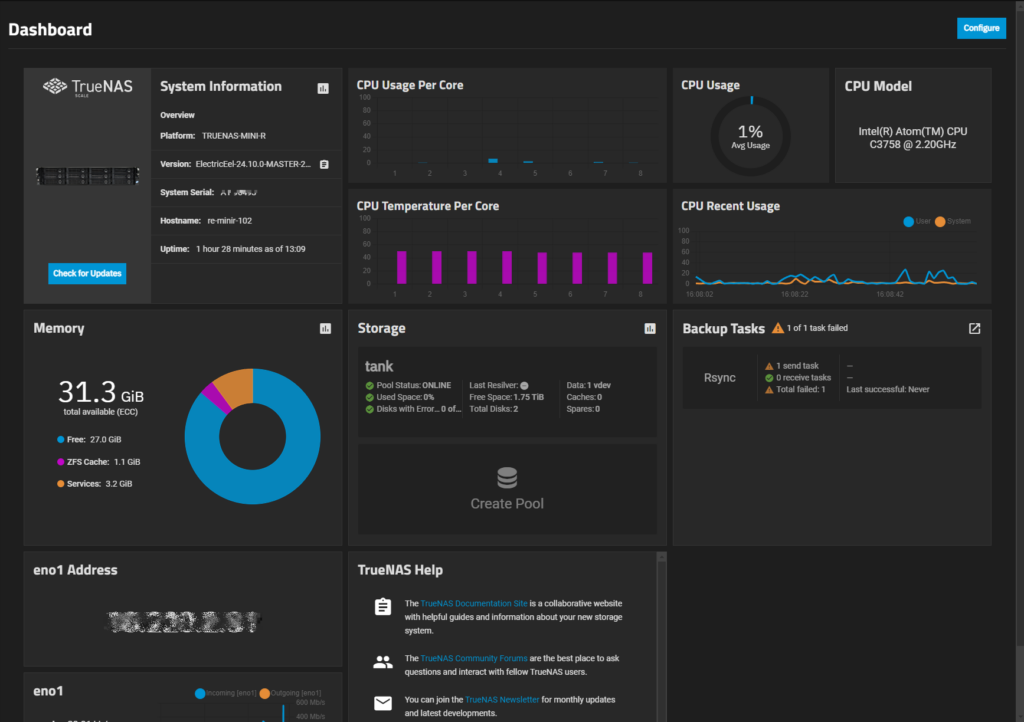
TrueNAS is one of the most respected NAS operating systems available. It is especially popular among enthusiasts, professionals, and users who care deeply about data integrity. The biggest reason for this is its use of ZFS, a powerful file system designed for advanced storage management and protection.
TrueNAS is available in different versions, but for most modern DIY NAS users, TrueNAS SCALE is the most relevant option because it combines Linux compatibility with container and virtualization support.
Why People Choose TrueNAS
- Excellent data protection with ZFS
- Strong snapshot and replication features
- High performance in many storage workloads
- Advanced storage tools for serious users
- Good support for virtualization and apps
TrueNAS System Requirements
| Component | Typical Minimum | Recommended for Best Experience |
|---|---|---|
| CPU | 64-bit dual-core processor | Modern quad-core Intel or AMD CPU |
| RAM | 8GB | 16GB or more, especially with ZFS and apps |
| Boot Drive | Small SSD | Dedicated SSD |
| Storage Drives | 2 drives minimum | Matched drives for ZFS pools |
TrueNAS generally needs more RAM than the other options, especially if you want to use ZFS properly. That does not mean it needs enterprise hardware, but it does mean that old low-memory systems are not the ideal choice.
TrueNAS Performance
In pure storage terms, TrueNAS is often the performance leader in a NAS OS comparison. ZFS can deliver excellent read and write performance, strong caching behavior, snapshots, compression, and robust protection against silent data corruption. For users running 2.5GbE, 10GbE, or heavier multi-user workloads, TrueNAS is often the strongest option.
That performance comes with trade-offs. ZFS prefers proper planning, matched drive groups, and more system memory than lightweight alternatives. If your goal is maximum storage efficiency from a pile of random old drives, TrueNAS is less convenient than Unraid.
TrueNAS Ease of Use and Setup
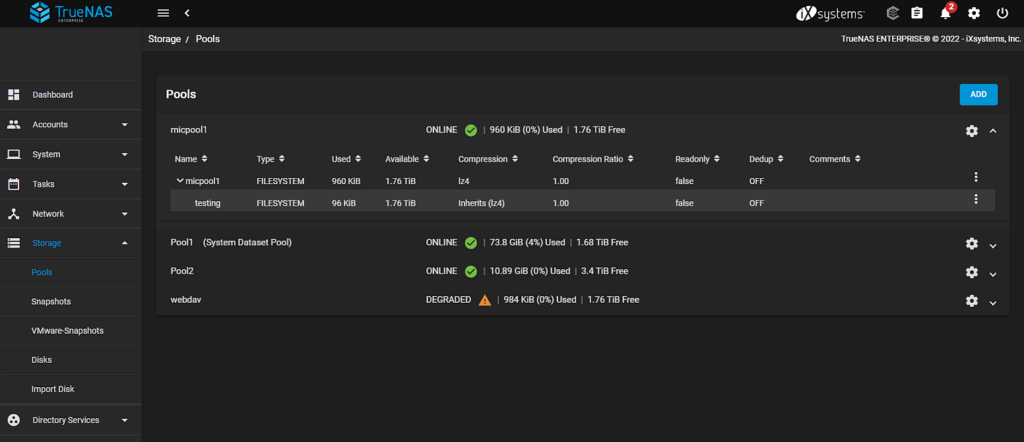
TrueNAS has a polished web interface, but it is still aimed more at power users than absolute beginners. The dashboard is clean, and many tasks are straightforward once you understand the basics. However, pool creation, dataset management, snapshots, and ZFS terminology can be intimidating for first-time users building a home NAS.
Setup is easier than it used to be, but it still rewards users who are willing to learn storage concepts properly.
TrueNAS Price
TrueNAS is free to download and use, which makes it attractive for a DIY NAS build. The real cost comes from hardware, because the platform performs best with more RAM and well-planned storage.
TrueNAS Pros
- Excellent data integrity with ZFS
- Strong performance for demanding workloads
- Free to use
- Advanced snapshots, replication, and storage controls
- Great for serious backup and file storage
TrueNAS Cons
- Higher RAM requirements
- Less beginner-friendly than Unraid
- Less flexible with mixed drive sizes
- Better suited to planned storage pools than casual expansion
When You Should Use TrueNAS
Choose TrueNAS if your top priorities are reliability, strong performance, snapshots, and advanced storage features. It is the best fit for users who want a more serious NAS OS for backups, business-like file storage, high-speed transfers, virtualization, or long-term data protection.
Unraid Overview
Unraid is one of the most popular choices for a home NAS and home server. It is especially well known for media servers, Docker apps, and flexible storage expansion. Its biggest advantage is that it allows you to combine drives of different sizes more easily than TrueNAS.
That makes Unraid very attractive for users who build a DIY NAS gradually, reusing drives they already own instead of buying a fully matched set on day one.
Why People Choose Unraid
- Very flexible drive expansion
- Excellent for Plex, Jellyfin, and Docker containers
- Beginner-friendly web interface
- Great all-in-one home server option
- Works well with mixed capacity drives
Unraid System Requirements
| Component | Typical Minimum | Recommended for Best Experience |
|---|---|---|
| CPU | 64-bit processor | Modern quad-core CPU if using Docker or VMs |
| RAM | 4GB | 8GB to 16GB for apps and containers |
| Boot Drive | USB flash drive | Reliable name-brand USB device |
| Storage Drives | 1 parity drive plus data drives | Flexible mix of drive sizes |
Unraid generally asks less of your hardware than TrueNAS, especially if you are not running a large number of containers or virtual machines.
Unraid Performance
Unraid offers solid real-world performance for most home NAS use cases, including file serving, media streaming, backups, and Docker applications. It is usually not the raw storage performance leader in direct comparison with a tuned ZFS-based TrueNAS setup, but for many users on a 1GbE or 2.5GbE network, the difference may not matter much in everyday use.
Its storage model prioritizes flexibility over maximum array performance. Since data is not striped in the same way as traditional RAID or ZFS pools, Unraid can be more forgiving and more convenient when you want to add drives one at a time.
Unraid Ease of Use and Setup
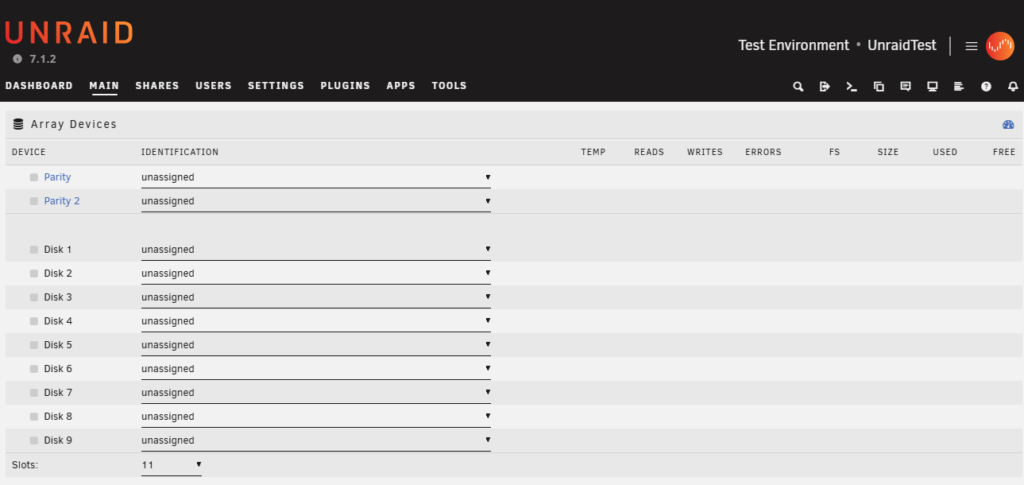
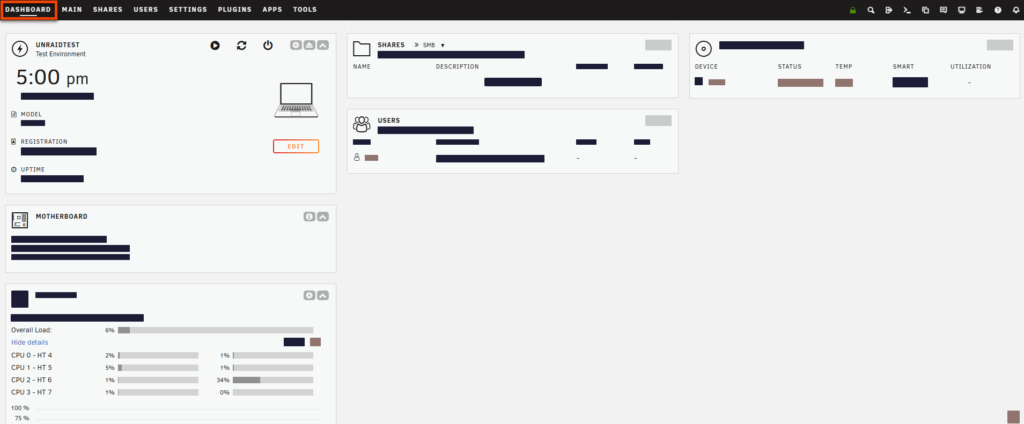
For many users, Unraid is the easiest NAS OS to live with. The interface is friendly, storage management is understandable, and the app ecosystem makes it easy to install tools like Plex, Nextcloud, Home Assistant, and backup utilities. This is one of the biggest reasons Unraid is so popular for a modern DIY NAS.
Setup is generally smoother than TrueNAS for beginners, especially if your goal is a mixed-use home server instead of a pure storage appliance.
Unraid Price
Unlike TrueNAS and OpenMediaVault, Unraid is a paid product. That license cost is the biggest downside for some builders. However, many users are happy to pay because of the convenience, flexibility, and quality of the overall experience.
Unraid Pros
- Very easy to expand with mixed drives
- Excellent for media servers and containers
- Beginner-friendly interface
- Strong plugin and app ecosystem
- Great balance of NAS and home server features
Unraid Cons
- Not free
- Not as strong as ZFS for advanced data integrity features
- Usually slower than TrueNAS in pure storage-focused workloads
- Best value depends on how much you use its app ecosystem
When You Should Use Unraid
Choose Unraid if you want the most flexible and beginner-friendly platform for a home NAS, especially if you plan to run Plex, Docker containers, download tools, smart home apps, or mixed-capacity drives. It is a great fit for users who want one system that acts as both a NAS and a home server.
OpenMediaVault Overview
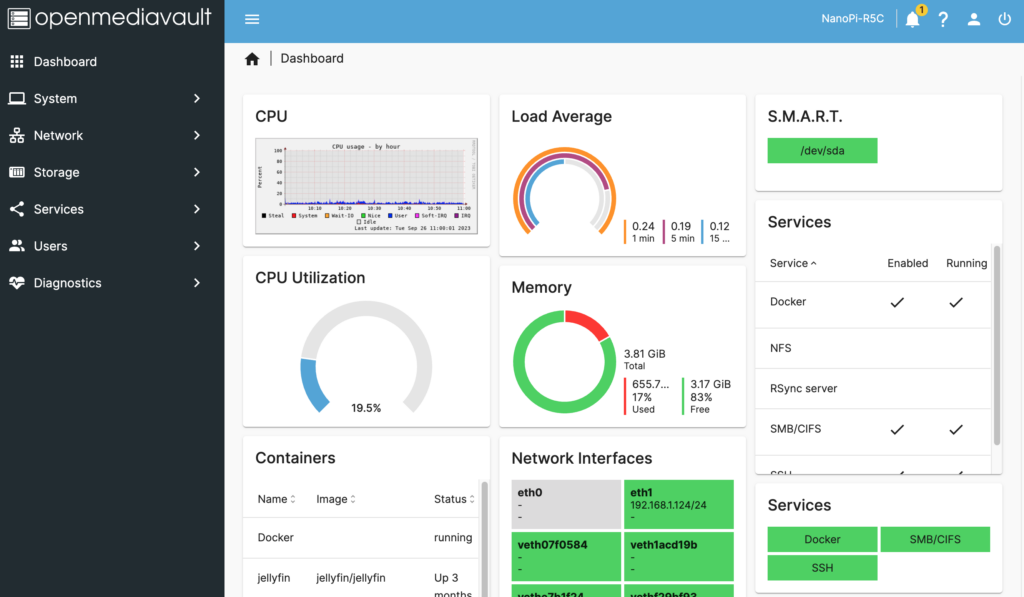
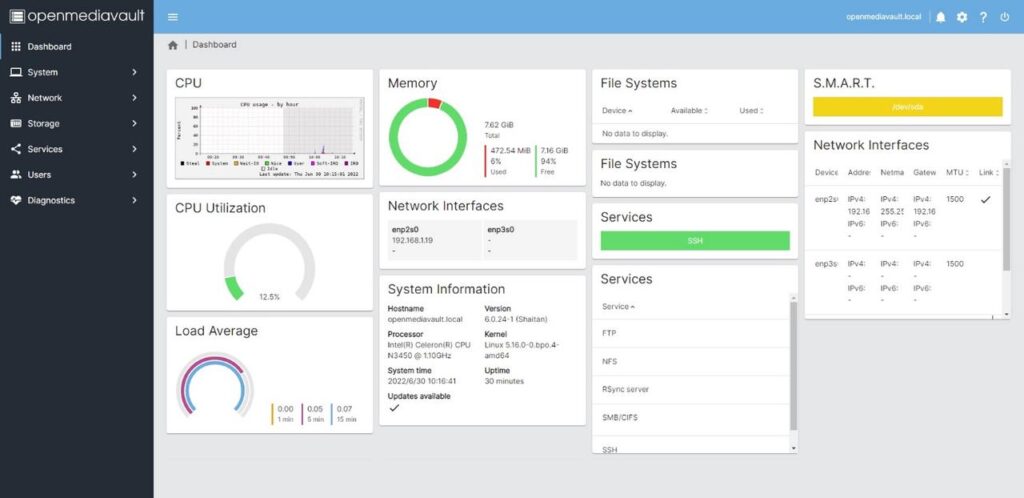
OpenMediaVault, often shortened to OMV, is a lightweight and open-source NAS operating system based on Debian Linux. It is popular with budget builders because it can run well on older PCs, small systems, and lower-end hardware that may struggle with TrueNAS.
OMV is often the best entry point for users who want a fully free DIY NAS and do not need enterprise-level storage features.
Why People Choose OpenMediaVault
- Very low hardware requirements
- Free and open source
- Good for old PCs and small builds
- Flexible plugin-based design
- Debian base makes it familiar to Linux users
OpenMediaVault System Requirements
| Component | Typical Minimum | Recommended for Best Experience |
|---|---|---|
| CPU | Low-end x86 or ARM system | Modern dual-core or better |
| RAM | 1GB to 2GB | 4GB or more if using extra services |
| Boot Drive | Small SSD or flash storage | Dedicated SSD |
| Storage Drives | Flexible depending on setup | As many as your hardware supports |
OMV is the lightest option in this comparison and is especially appealing if you want to revive older hardware into a useful home NAS.
OpenMediaVault Performance
OpenMediaVault can perform very well for basic file serving, backups, and lightweight home server tasks. Performance depends heavily on the file system, RAID configuration, and hardware you pair it with. OMV itself is lightweight, so it often feels responsive even on modest systems.
That said, out of the box it does not deliver the same advanced storage experience as TrueNAS, and it does not match Unraid’s convenience for mixed-drive home server builds. Its strength is efficiency, not premium polish.
OpenMediaVault Ease of Use and Setup
OMV sits in the middle. It is not as intimidating as older enterprise-style NAS software, but it can still require more manual setup and Linux knowledge than Unraid. The web interface is functional, but less polished than the other two. Plugin management, permissions, and advanced services can feel less streamlined for beginners.
For users comfortable with Linux or willing to tinker, OMV is a strong budget choice. For users who want the smoothest beginner experience, Unraid is usually easier.
OpenMediaVault Price
OpenMediaVault is free, which makes it one of the most attractive options for a low-cost DIY NAS build. If your budget is tight and you already have spare hardware, OMV can be a very cost-effective way to create a home NAS.
OpenMediaVault Pros
- Free and open source
- Very lightweight
- Runs well on older or low-power hardware
- Flexible for users who like to customize
- Great budget NAS option
OpenMediaVault Cons
- Less polished interface
- More manual configuration than Unraid
- Fewer premium built-in storage features than TrueNAS
- Can require more tinkering for advanced setups
When You Should Use OpenMediaVault
Choose OpenMediaVault if you want a free and lightweight NAS OS for basic file storage, backups, or small home server projects. It is especially well suited to old PCs, small Intel systems, and budget-focused DIY NAS builds.
Performance Comparison: TrueNAS vs Unraid vs OpenMediaVault
If your main goal is storage speed and advanced file system features, TrueNAS usually comes out on top. ZFS gives it a major advantage in data integrity, snapshots, and many heavier workloads. Unraid focuses more on flexibility and ease of expansion than on raw array performance. OpenMediaVault can be fast enough for typical home use, but it depends more heavily on how you configure it.
| Category | TrueNAS | Unraid | OpenMediaVault |
|---|---|---|---|
| Raw storage performance | Excellent | Good | Good to very good, depending on setup |
| Data integrity features | Excellent | Moderate | Basic to moderate, depending on file system |
| Performance on low-end hardware | Fair | Good | Excellent |
| Best for 10GbE and heavy workloads | Yes | Sometimes | Possible, but not usually the first choice |
Ease of Use Comparison
For most beginners, Unraid is the easiest to set up and manage. TrueNAS is polished but asks users to understand more about storage concepts. OpenMediaVault is manageable, but often feels more hands-on and less refined.
| Ease of Use Factor | TrueNAS | Unraid | OpenMediaVault |
|---|---|---|---|
| Beginner friendliness | Moderate | High | Moderate |
| UI polish | High | High | Moderate |
| Storage expansion simplicity | Moderate | Excellent | Moderate |
| Advanced setup learning curve | High | Low to moderate | Moderate |
Price Comparison
From a software cost perspective, TrueNAS and OpenMediaVault are free. Unraid requires a paid license. However, software cost alone does not tell the full story. TrueNAS may require better hardware, which can raise the total cost of a DIY NAS build.
| NAS OS | Software Cost | Hidden Cost Consideration |
|---|---|---|
| TrueNAS | Free | Often benefits from more RAM and more carefully matched drives |
| Unraid | Paid | License cost, but can save money by using mixed drives |
| OpenMediaVault | Free | May require more manual setup time |
System Requirements Comparison
| NAS OS | CPU Requirement | RAM Requirement | Best Hardware Type |
|---|---|---|---|
| TrueNAS | Moderate to high | Moderate to high | Modern PC or server hardware |
| Unraid | Moderate | Low to moderate | Home server, mixed-use PC |
| OpenMediaVault | Low | Low | Older PCs, mini PCs, lightweight systems |
Pros and Cons at a Glance
TrueNAS
Pros: Best storage integrity, powerful ZFS features, strong performance, free.
Cons: Higher hardware demands, steeper learning curve, less flexible with drive mixing.
Unraid
Pros: Easy to use, excellent for Plex and Docker, flexible drive sizes, easy expansion.
Cons: Paid license, not as strong as TrueNAS for advanced storage integrity, lower raw array performance.
OpenMediaVault
Pros: Free, lightweight, works on low-end hardware, customizable.
Cons: Less polished, more manual setup, fewer premium storage features out of the box.
Which NAS OS Should You Choose?
Choose TrueNAS if…
- You care most about data protection and storage reliability
- You want ZFS snapshots, checksumming, and advanced storage tools
- You are building a serious backup or file server
- You have hardware with enough RAM to support it properly
Choose Unraid if…
- You want the easiest and most flexible home NAS experience
- You plan to use mixed-size hard drives
- You want a NAS plus a Docker and media server platform
- You are building a Plex server or all-in-one home server
Choose OpenMediaVault if…
- You want a free DIY NAS on a tight budget
- You are reusing old hardware
- You prefer a lightweight Linux-based platform
- You do not need the premium storage experience of TrueNAS or the convenience focus of Unraid
Final Verdict: Best NAS OS for a DIY NAS
There is no single best NAS OS for everyone. The right choice depends on what kind of home NAS or DIY NAS you want to build.
TrueNAS is the best choice for users who want maximum reliability, advanced storage features, and strong performance. Unraid is the best all-rounder for home users who want flexibility, simple expansion, and a powerful app ecosystem. OpenMediaVault is the best option for budget builds and lightweight systems.
If you are building a media-heavy home NAS with mixed drives and easy app support, Unraid is usually the most practical choice. If you want the most serious storage platform with enterprise-style features, TrueNAS is hard to beat. If you want the cheapest route into a functional DIY NAS, OpenMediaVault remains a strong contender.
FAQ: NAS, NAS OS, and DIY NAS Builds
What is the best NAS OS for a home NAS?
For most beginners, Unraid is often the easiest NAS OS for a home NAS. For advanced users focused on data integrity and ZFS, TrueNAS is usually the better choice.
What is the cheapest NAS operating system?
OpenMediaVault is one of the best free options for a budget DIY NAS. TrueNAS is also free, but may need stronger hardware.
Is Unraid better than TrueNAS?
Unraid is better for ease of use, app support, and mixed-drive expansion. TrueNAS is better for raw storage performance, advanced data protection, and ZFS-based reliability.
Can I build a DIY NAS with old PC hardware?
Yes. OpenMediaVault is often the easiest fit for older hardware, while Unraid can also work well depending on your goals. TrueNAS generally prefers more RAM and better planning.